A beautiful dashboard for your contribution history. Heatmaps, charts, and insights — all running locally in your browser.
Powerful features, zero complexity
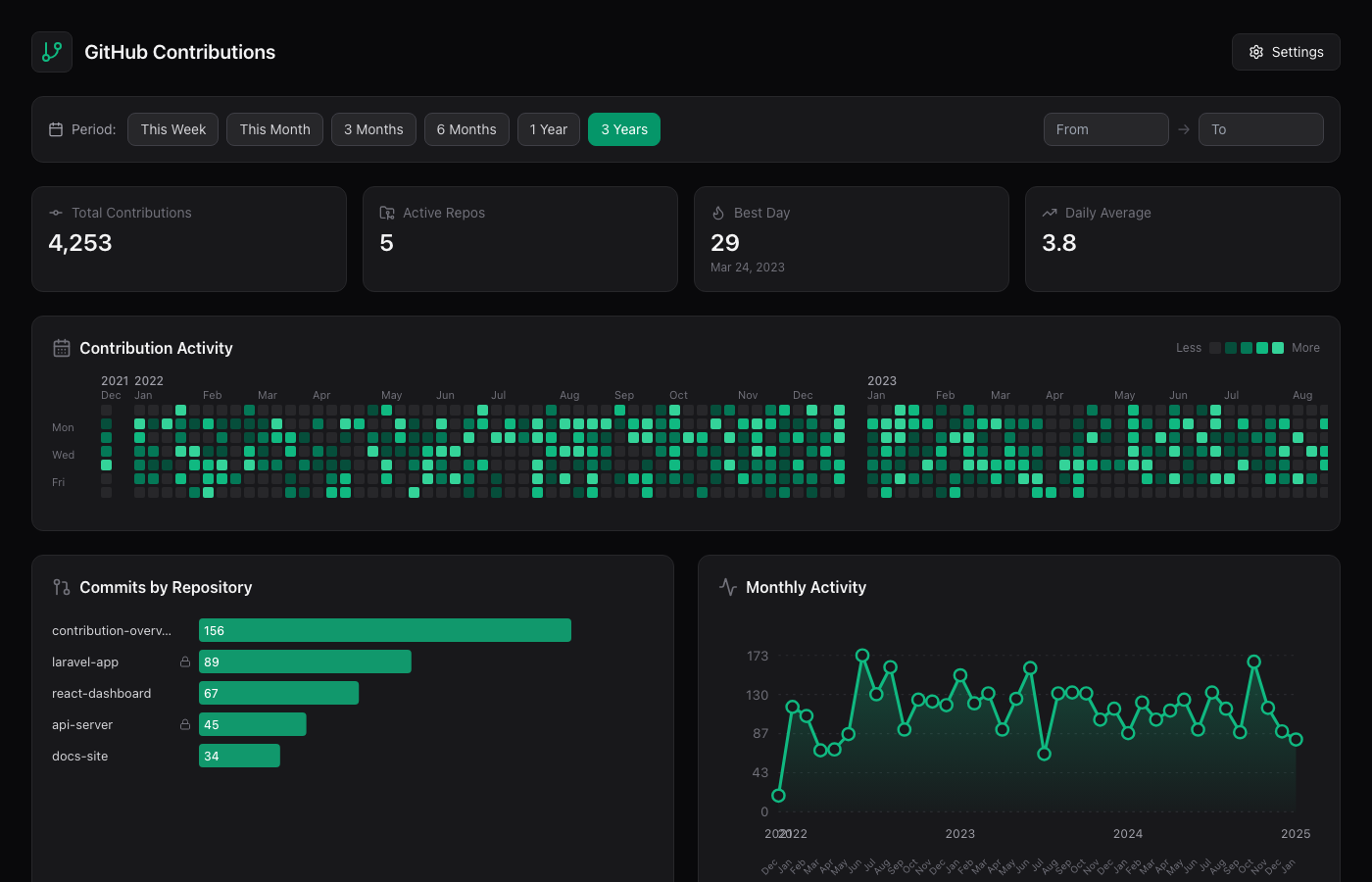
GitHub-style heatmap showing your daily contribution patterns across any date range.
See which repos you contribute to most with ranked bar charts and commit counts.
Monthly activity charts show your contribution trends and momentum over time.
Choose from 14 accent colors to personalize your dashboard's look and feel.
All data stays in your browser. No servers, no analytics, no tracking whatsoever.
Add to your home screen for a native app experience on any device.
No installation required. Just open, configure, and explore.
Generate a token with repo and read:user scopes.
Click the settings icon, enter your GitHub username and token. Your credentials are stored locally and never leave your browser.
View your heatmap, filter by date ranges, and discover insights about your coding activity.
Chrome / Edge
Click the install icon in the address bar, or Menu → "Install app"
iOS Safari
Tap Share → "Add to Home Screen"
Prefer the command line? Fetch data locally.
# Clone the repository git clone https://github.com/HelgeSverre/commits.site.git cd commits.site # Authenticate with GitHub CLI gh auth login # Fetch your contribution data ./fetch-data.sh your-username # Open the dashboard open index.html